100% FREE • No Studio Required

Start Your Podcast
Today with Zero Budget

No expensive studio. No boring solo recordings. Just you, your ideas, and beautiful video podcasts ready for YouTube and Spotify. Use your camera or images — we make you look professional.

● REC
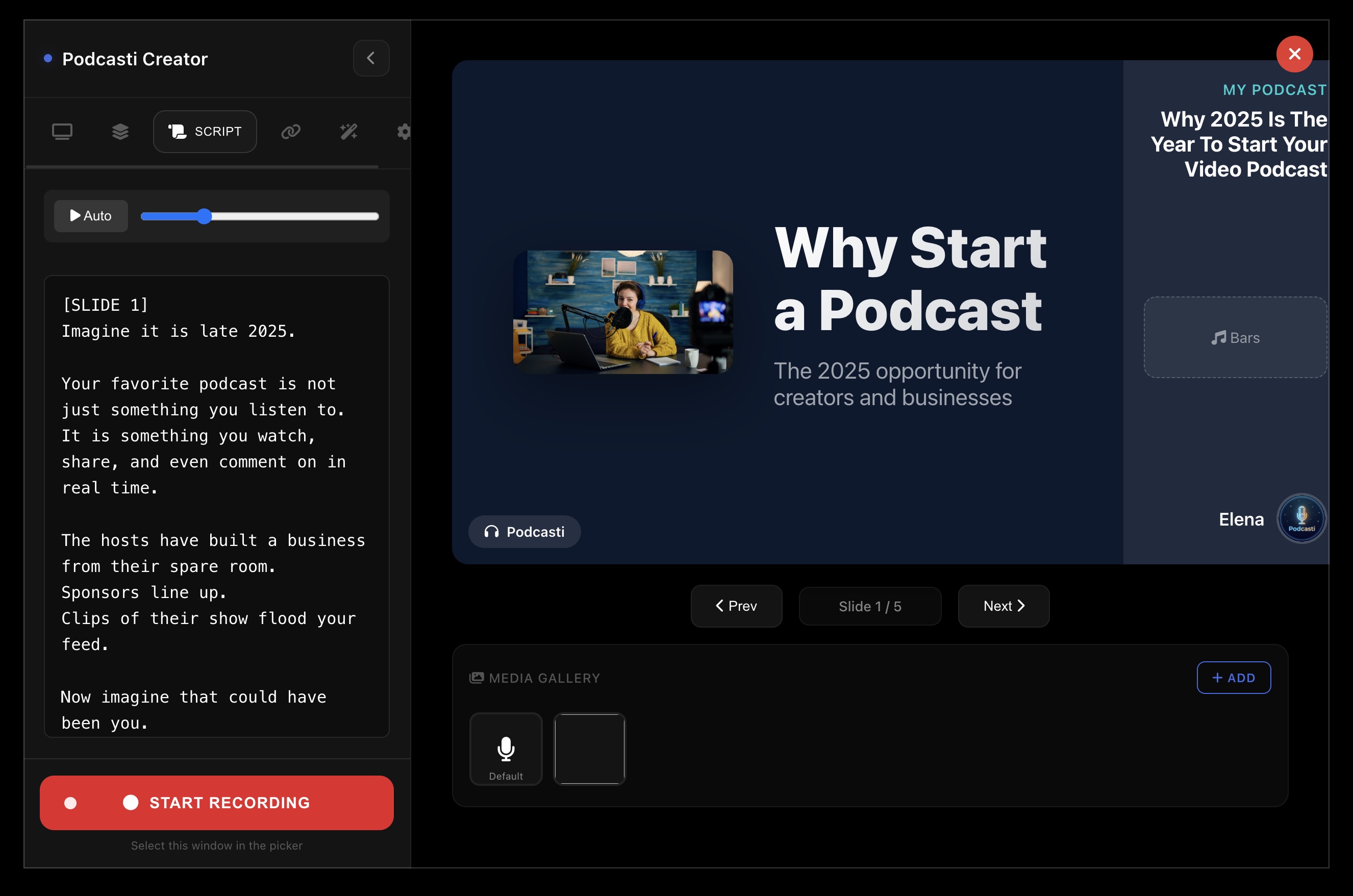
Podcasti Control Center - Recording Interface

Your Recording Studio

Control everything from one screen — camera, slides, script, and media gallery. Just hit record.

From Recording to Upload

See the professional result your audience will watch

Ready to Upload
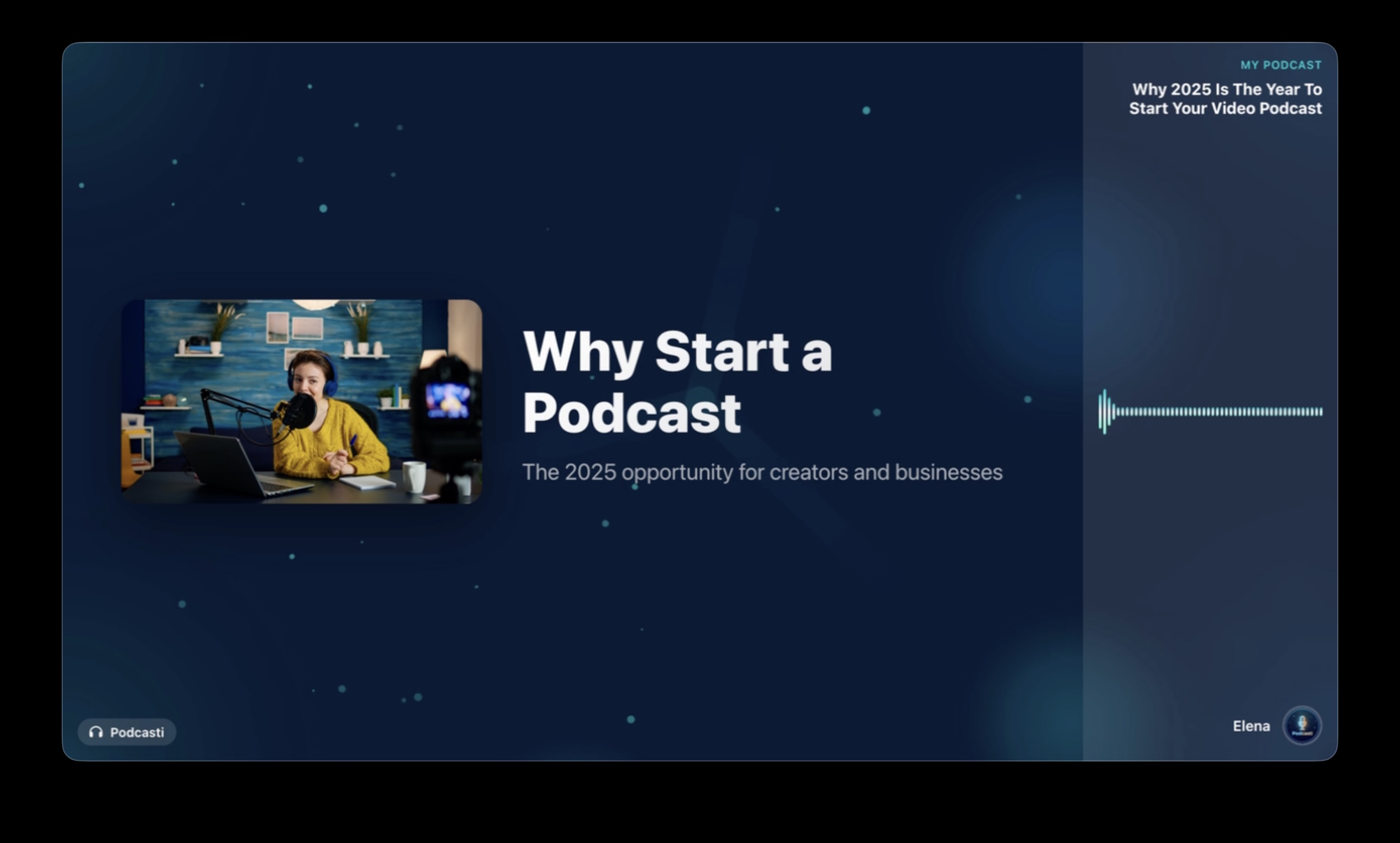
Podcasti Video Output - Final Result

Professional Video Output

Optimized for YouTube, Spotify, and all major platforms. One click export.

Let AI Do the Work

Just type your idea — AI generates your script, slides, and content automatically

✨ AI Powered
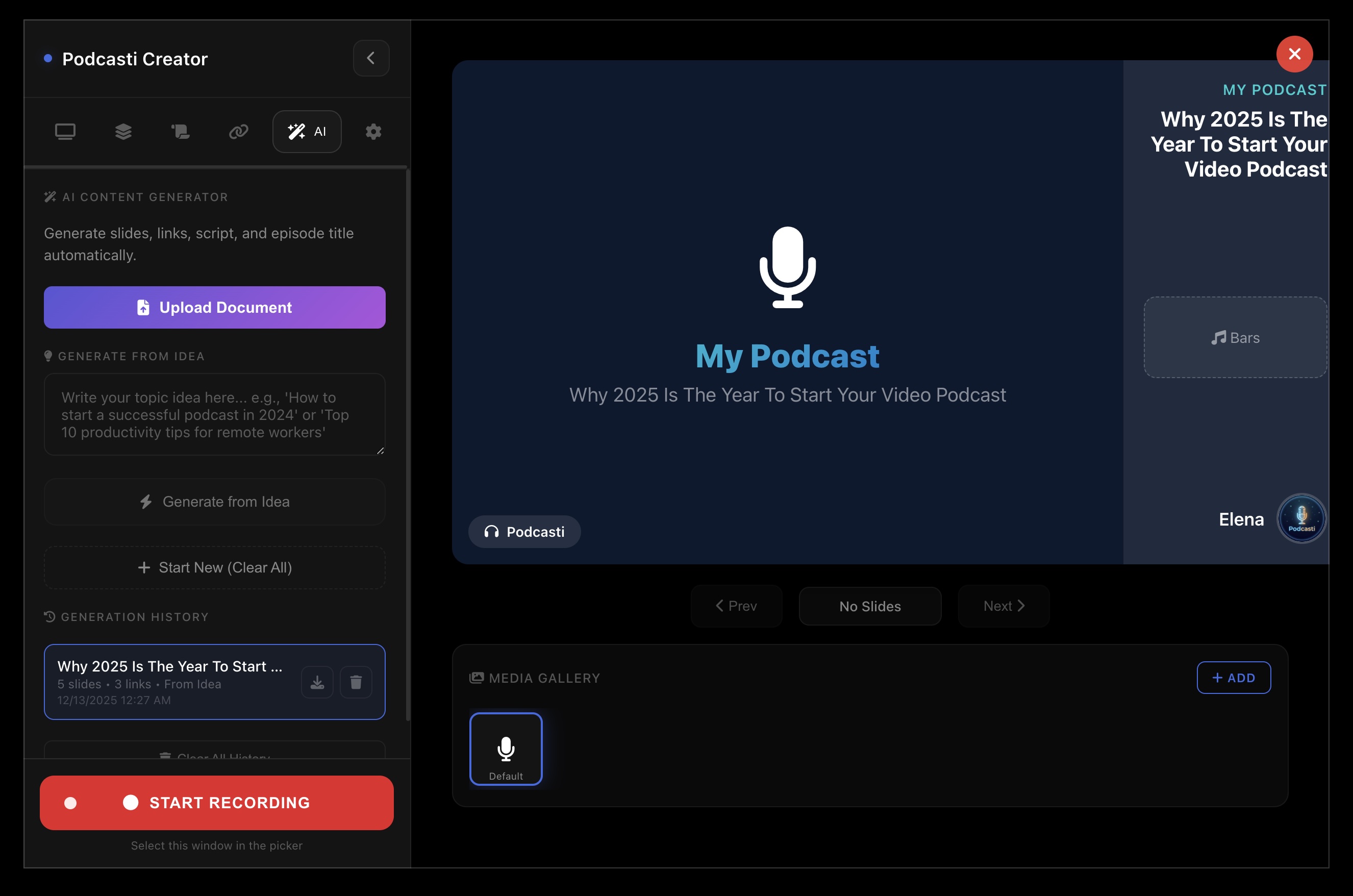
Podcasti AI Content Generation

Generate Everything with AI

Upload a document or type your topic — get a complete podcast with script, slides, and links in seconds.

Perfect for Beginners

No experience needed. No expensive equipment. Just start creating and we handle the rest.

Record Anywhere

Use your laptop mic or phone. Our AI enhances your audio automatically — no fancy equipment needed.

Never Look Boring

Add images, slides, or use your camera. Dynamic visuals keep your audience engaged throughout your podcast.

Camera Shy? No Problem

Don't want to show your face? Use images, graphics, or AI-generated visuals. You're in control of how you appear.

YouTube & Spotify Ready

Export directly optimized for YouTube, Spotify, and all major platforms. One click and you're live.

Pro Visuals Instantly

Beautiful templates make your podcast look like it cost thousands. Stand out from day one.

Start in Minutes

Download, open, record. It's that simple. Your first episode can be live today.

See It In Action

Watch how easy it is to create your first podcast with Podcasti

Click to play tutorial video

Download Podcasti Free

Available for macOS and Windows. 100% free to download and use with optional premium features.

macOS

Version 1.0.0 • macOS 10.15+

Download for Mac

Windows

Version 1.0.0 • Windows 10+

Download for Windows

Frequently Asked Questions

Everything you need to know to get started

Do I need expensive equipment to start?
Not at all! Your laptop microphone or phone is enough to get started. Podcasti's AI automatically enhances your audio quality, removes background noise, and makes you sound professional. Many successful podcasters started with basic equipment.
I'm camera shy. Can I still create video podcasts?
Absolutely! You can use images, slides, graphics, or AI-generated visuals instead of your camera. Many creators prefer this style. You're in complete control of how you appear on screen — or if you appear at all.
How do I upload to YouTube and Spotify?
Podcasti exports your podcast in formats optimized for each platform. For YouTube, you get a video file ready to upload. For Spotify and other audio platforms, you get an audio file. Just export and upload — it's that simple.
Is Podcasti really free?
Yes! Podcasti is 100% free to download and use. You can create, edit, and export podcasts without paying anything. We offer optional premium features for creators who want advanced tools, but the core experience is completely free.
How long does it take to create my first podcast?
You can have your first episode ready in under an hour. Download Podcasti, pick a template, record your content, and export. Our intuitive interface means you spend time creating, not learning complicated software.

Need Help?

We're here to help you start your podcasting journey

Get in Touch

Have questions, feedback, or need assistance? Drop us an email and we'll get back to you as soon as possible.
support@podcasti.org